Cybercriminals do not always need sophisticated hacking techniques to compromise a business. Sometimes, all they need is one convincing email, one careless click, or one employee who trusts a message that appears to come from a familiar supplier.
For small businesses, this can be particularly damaging. A single compromised email account can expose customer information, interrupt operations, enable fraudulent payments, or give attackers access to other business systems.
Artificial intelligence is making the problem more complicated. Criminals can now create convincing messages, imitate communication styles, and personalise attacks using information gathered from the internet.
The good news is that protecting your business does not necessarily require an expensive cybersecurity department. With the right precautions, security tools, and employee practices, even a small team can significantly reduce its exposure.
In this guide, we explain how phishing attacks work, what warning signs to look for, and the practical steps you can take to protect your business in 2026.
- How phishing attacks target small businesses
- How to recognise suspicious emails
- How AI is changing business scams
- How to protect business accounts and payments
- Security practices every small business should implement
- What to do if an employee clicks a suspicious link
1. Understand How Phishing Attacks Target Small Businesses
Phishing is a type of cyberattack in which criminals impersonate legitimate organisations or individuals to trick people into revealing sensitive information, opening malicious attachments, or approving fraudulent transactions.
These messages can appear to come from banks, payment providers, delivery companies, software platforms, suppliers, or even the business owner.
For example, an employee might receive an email claiming that their Microsoft 365 account will be suspended unless they verify their password. The message may include familiar branding and a link to what looks like a legitimate login page.
Once the employee enters their credentials, the attacker may use them to access business emails, customer records, confidential documents, or connected applications.
Small businesses are attractive targets partly because they often handle valuable information without having the dedicated security teams found in larger organisations.
Common phishing approaches include:
- Email phishing: Fraudulent messages designed to steal passwords, financial information, or other sensitive data.
- Spear phishing: Targeted messages created for a particular employee, business, or organisation.
- Business email compromise: Criminals impersonate executives, employees, or suppliers to manipulate payment instructions or obtain confidential information.
- Smishing: Phishing attacks delivered through SMS or messaging applications.
- Credential theft: Fake login pages designed to capture usernames and passwords.
Understanding these approaches is the first step towards recognising an attack before it causes damage.
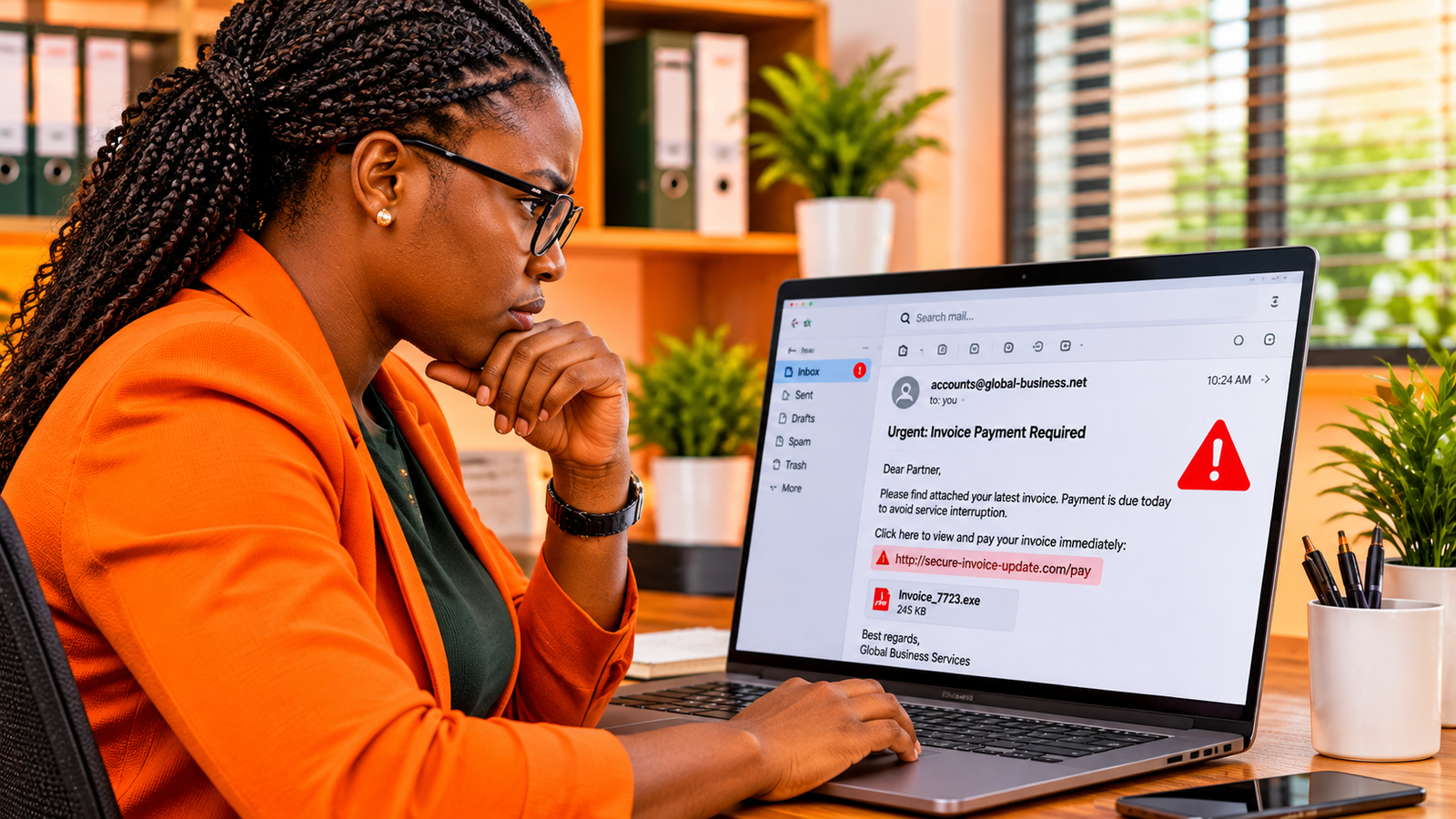
2. Learn to Recognise the Warning Signs of a Phishing Email
One of the most effective ways to prevent phishing attacks is to teach employees how to question unexpected messages.
Although modern phishing emails can look remarkably professional, there are still warning signs worth checking.
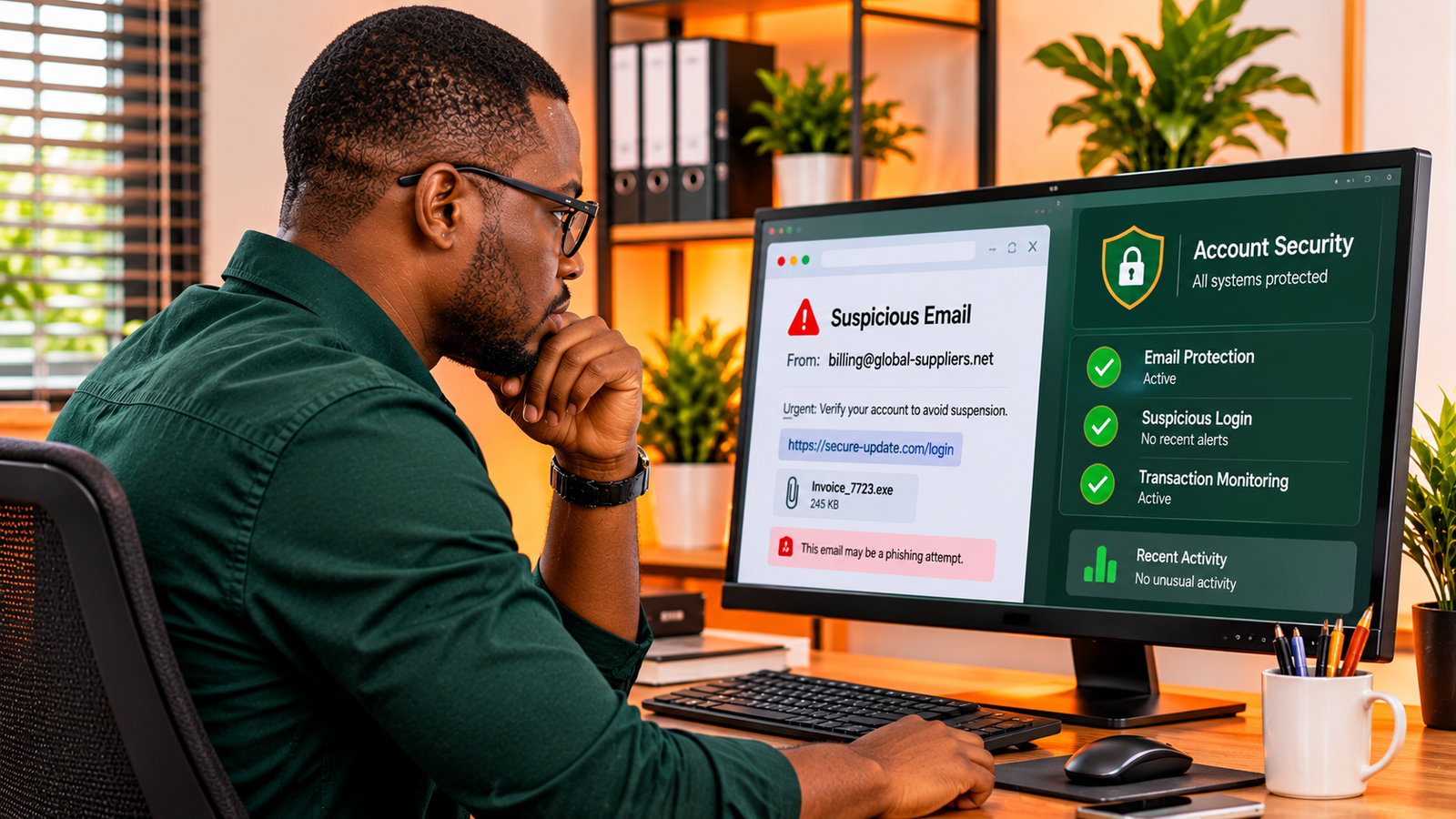
Unusual sender addresses
Look carefully at the sender's actual email address rather than relying on the display name.
A message may claim to come from a familiar supplier while using a slightly different domain. An attacker might register a domain that resembles the supplier's real website but includes an extra character or a different extension.
When a message requests sensitive information or financial action, independently confirm that it came from the expected person or organisation.
Unexpected urgency
Phishing messages frequently attempt to create pressure.
You might receive a notification claiming that your account will be closed within a few hours, an invoice must be paid immediately, or an important document requires urgent approval.
Criminals use urgency because people are more likely to make mistakes when they believe they have little time to respond.
Suspicious links and attachments
Never assume that a link is safe simply because it appears inside an email from a familiar organisation.
Check the destination carefully before opening it. Be especially cautious of unexpected attachments, compressed files, executable files, and documents requesting unusual permissions or additional software installation.
Unexpected requests for sensitive information
Be suspicious of messages requesting passwords, verification codes, banking details, customer information, or confidential business documents.
Legitimate organisations generally have established procedures for sensitive account and payment activities. An unexpected email asking you to bypass those procedures deserves additional scrutiny.
3. Protect Business Email Accounts with Multi-Factor Authentication
Your business email account is one of the most important systems to protect because it often connects to other services.
If an attacker gains access to an employee's email, they may be able to reset passwords, impersonate the employee, access shared documents, and send convincing messages to customers or suppliers.
Multi-factor authentication (MFA) adds another verification requirement when someone attempts to sign in.
Instead of relying only on a password, users must provide an additional authentication factor. This might involve an authenticator application, a security key, or another supported verification method.
Even if a criminal obtains an employee's password, MFA can make unauthorised account access significantly more difficult.
For better protection:
- Enable MFA for every business email account.
- Prioritise authenticator applications or hardware security keys where supported.
- Use unique passwords for different business services.
- Consider a reputable password manager to help employees manage credentials securely.
- Review account recovery methods and remove outdated phone numbers or email addresses.
- Remove access promptly when employees leave the organisation.
For organisations using Microsoft 365 or Google Workspace, review the available security and authentication settings rather than assuming that default configurations provide everything your business needs.
4. Watch Out for AI-Powered Impersonation and Business Email Fraud
Artificial intelligence has introduced another challenge for small-business cybersecurity.
AI tools can help criminals produce more natural, personalised messages that resemble ordinary business communication.
Some attacks also use publicly available information to make impersonation more convincing.
For example, a criminal might research a company's employees, suppliers, ongoing projects, and payment procedures before sending an email that appears to come from a senior manager.
In more advanced cases, criminals may use AI-generated voice impersonation to imitate someone familiar to an employee.
Imagine receiving a phone call that appears to come from your manager, requesting an urgent transfer to a new supplier account. The voice may sound familiar, and the caller may know details about a real business transaction.
Without proper verification procedures, an employee could approve the payment without realising that the request is fraudulent.
To reduce this risk, establish clear rules:
- Verify unusual payment requests through a separate, trusted communication channel.
- Require additional approval for significant financial transfers.
- Confirm changes to supplier banking information using previously verified contact details.
- Never rely on a familiar voice alone to authenticate a financial instruction.
- Limit publicly available information that could help criminals impersonate executives or employees.
The important lesson is that familiarity should never replace verification.
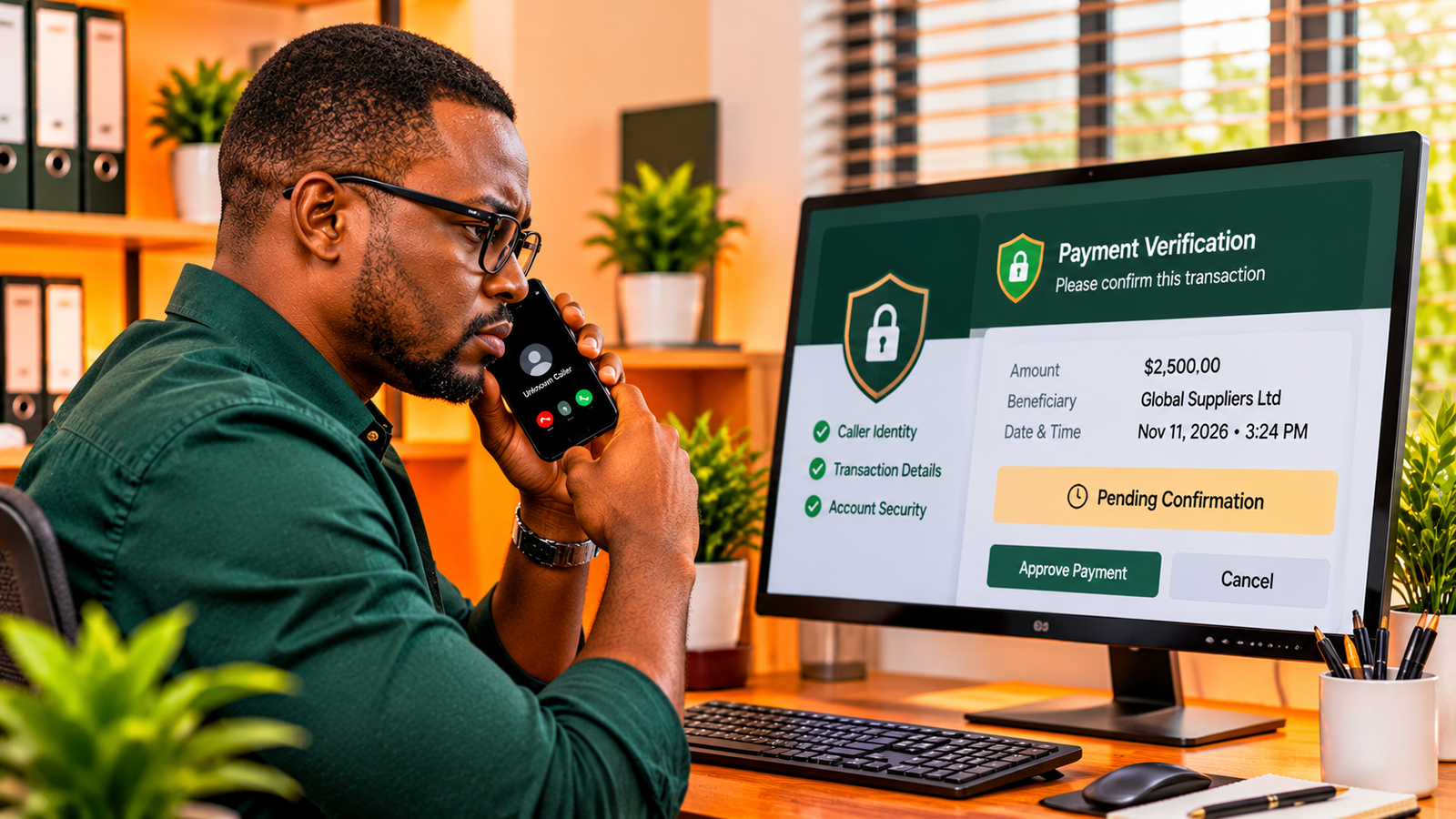
5. Establish a Verification Process for Invoices and Supplier Payments
Financial fraud can be particularly costly for small businesses because a single fraudulent transfer may represent a significant portion of their available operating capital.
One common approach involves criminals impersonating suppliers and requesting that future payments be sent to a different bank account.
Sometimes, attackers gain access to an existing email conversation and wait for an opportunity to introduce fraudulent payment instructions. Because the request appears within a familiar conversation, employees may be less likely to question it.
A simple verification process can reduce this risk.
Confirm changes to payment details
Whenever a supplier requests a change to banking information, verify the request using a telephone number or contact method already on file.
Do not use the contact details supplied in the suspicious message itself.
Introduce payment approval controls
Where possible, require a second authorised person to review significant payments or unusual transactions.
This does not necessarily require a large finance department. Even a small business with two or three responsible employees can introduce a basic approval process.
Keep financial responsibilities separate
Whenever practical, avoid giving one employee unrestricted control over every stage of a financial transaction.
Separating payment preparation, verification, and approval makes it harder for one compromised account or manipulated employee to result in an unauthorised transfer.
6. Be Careful with QR Codes and Unexpected Login Requests
QR codes are now used for payments, menus, deliveries, authentication, and customer interactions. Unfortunately, criminals can also use them to direct people towards fraudulent websites.
This type of attack is sometimes called quishing, a combination of QR codes and phishing.
An employee might receive an email containing a QR code that supposedly provides access to a shared document or verifies a business account.
After scanning the code, the employee could be redirected to a fake login page designed to collect their credentials.
To reduce this risk:
- Do not scan unexpected QR codes from unknown senders.
- Check the destination address before entering login information.
- Use established business applications to access shared documents.
- Be suspicious of QR codes requesting account verification or payment outside normal procedures.
- Report unexpected authentication requests to the appropriate person in your organisation.
Employees should understand that a QR code is simply another way to open a link. It does not make the destination trustworthy.
7. Back Up Important Business Information
Preventing phishing attacks is essential, but your business should also prepare for situations in which security measures fail.
Some phishing attacks are designed to deliver malware or provide attackers with access to systems where business information is stored. In certain situations, this can lead to data theft, file encryption, or operational disruption.
Regular backups can help your business recover from incidents involving lost, damaged, or inaccessible information.
Consider backing up:
- Customer and supplier records.
- Financial documents and accounting information.
- Important business contracts.
- Operational records and project files.
- Essential website and application data.
- Other information required to keep the business running.
Follow the 3-2-1 backup principle where practical: maintain three copies of important data, store them on two different types of media, and keep one copy separate from your primary environment.
Cloud storage can be useful, but synchronisation alone is not always a complete backup strategy. If malicious activity affects synchronised files, the damage may also affect connected copies.
Test your backups periodically to make sure that your business can actually restore its information when needed.
8. Train Employees to Report Suspicious Messages
Technology is important, but employees remain an essential part of your business security strategy.
A security system cannot eliminate every threat, particularly when attackers continually change their methods.
Regular employee awareness training helps people recognise suspicious activity and understand what to do when something does not look right.
Your training should cover:
- Recognising suspicious email addresses and website links.
- Identifying unexpected attachments.
- Understanding the risks of sharing passwords and verification codes.
- Verifying unusual requests from managers and suppliers.
- Reporting suspicious messages without deleting important evidence.
- Understanding the correct procedure after clicking an unsafe link.
It is also important to create an environment where employees feel comfortable reporting mistakes.
If someone clicks a suspicious link, hiding the incident because they fear punishment can make the situation considerably worse. Early reporting gives the business a better opportunity to contain the problem.
9. What to Do If Someone Clicks a Phishing Link
Even with proper training and security measures, mistakes can happen. The important thing is to respond quickly and follow a clear incident procedure.
If an employee clicks a suspicious link or enters information on a potentially fraudulent website, take the following steps.
1. Report the incident immediately
Inform the person responsible for IT or business security. Do not wait to see whether something unusual happens.
2. Disconnect affected devices where appropriate
If there is reason to believe that malware has been installed or a device has been compromised, disconnect it from the network where appropriate and seek technical assistance. Avoid wiping or resetting the device before the incident has been properly assessed.
3. Secure compromised accounts
From a trusted device, change affected passwords and revoke suspicious active sessions. Review account recovery settings and enable or reset MFA where necessary.
4. Contact your financial institution if payment information is involved
If a fraudulent payment has been made or banking information may have been exposed, contact the bank or payment provider immediately. Ask whether the transaction can be stopped, recalled, or investigated.
5. Investigate and monitor the incident
Review relevant account activity, email forwarding rules, login records, connected applications, and unusual transactions. Determine whether customer or employee information may have been exposed.
6. Document what happened
Record the timeline, affected accounts, devices, messages, and actions taken. Preserve relevant evidence and follow applicable legal and regulatory reporting obligations.
Do not assume that changing a password alone resolves every type of compromise. An attacker may have established additional access or changed account settings.
10. A Practical Cybersecurity Checklist for Small Businesses
You do not need to implement every security measure at once. Start with the most important protections and gradually improve your security practices.
Small Business Security Checklist
- ☐ Enable multi-factor authentication on business accounts.
- ☐ Use unique, strong passwords.
- ☐ Install software and security updates promptly.
- ☐ Verify unexpected payment requests independently.
- ☐ Review employee account permissions.
- ☐ Back up important business information regularly.
- ☐ Train employees to recognise phishing attempts.
- ☐ Establish a process for reporting suspicious messages.
- ☐ Review account activity and security alerts.
- ☐ Create and test an incident response procedure.
Review this checklist regularly, particularly when your business introduces new employees, software platforms, payment procedures, or online services.
Frequently Asked Questions
Can a small business be targeted by phishing attacks?
Yes. Small businesses can be targeted because they handle valuable customer, financial, and operational information. Criminals do not need to attack a large corporation to benefit from compromised business accounts or fraudulent payments.
What is the best way to prevent phishing emails?
There is no single measure that blocks every phishing attempt. A combination of email security, multi-factor authentication, employee training, careful link verification, and clear reporting procedures provides stronger protection.
Are AI-generated phishing emails harder to recognise?
They can be. AI tools can help criminals produce more natural messages and personalise their attacks. This means employees should not rely on spelling mistakes or poor grammar as the only indicators of fraud.
Does multi-factor authentication prevent all account hacking?
No. MFA significantly improves account security, but it does not eliminate every threat. Attackers may use techniques such as session theft, phishing proxies, or social engineering. Strong authentication should be combined with other security measures.
What should I do if I accidentally share my business password?
Immediately report the incident, change the affected password from a trusted device, revoke active sessions where possible, and review account activity. If the same password was used elsewhere, change it on those services too.
Final Thoughts: Make Cybersecurity Part of Everyday Business Operations
Protecting a small business from phishing scams is not about buying every cybersecurity product available. It is about establishing sensible security practices and making them part of how the business operates.
Start with the basics: secure your email accounts, enable multi-factor authentication, verify financial instructions, train employees, and maintain reliable backups.
As your business grows and adopts more digital tools, review your security arrangements regularly. New software, additional employees, and changing business processes can introduce risks that were not present when the business first started.
Most importantly, create a culture where employees question unusual requests and report suspicious activity quickly.
Cybersecurity is not simply an IT responsibility. It is an important part of protecting your customers, finances, reputation, and the long-term stability of your business.
Need Help Improving Your Business Technology?
The right technology and security practices can make your business more efficient, reliable, and resilient. XhoXa Tech Solutions helps businesses navigate digital solutions and build stronger online operations.
Talk to XhoXa Tech Solutions