
Running a small business often means doing the work of several people at once. You might be answering customer messages in the morning, creating social media posts at midday, preparing quotations in the afternoon, and trying to finish administrative work long after everyone else has logged off.
The problem is not always a lack of customers or good ideas. Sometimes, there simply are not enough hours in the day.
This is where artificial intelligence (AI) can make a practical difference. The right AI tools can help you draft emails, create marketing materials, organize information, research competitors, prepare documents, and complete repetitive tasks more efficiently.
You do not necessarily need a large budget or a dedicated technology team to get started. Several popular AI platforms offer free plans or free features that small businesses can try before committing to a subscription.
The important thing to understand
AI is most useful when it removes a specific bottleneck from your business. It will not automatically bring customers, guarantee accurate information, or replace good business decisions. Think of it as an assistant that helps you work more efficiently while you remain responsible for the results.
In this guide, XhoXa Tech Solutions explores 15 AI tools that small businesses can start using without an immediate software purchase. We will explain what each tool does, how it can help, and where its limitations matter.

Quick comparison: 15 free AI tools for small businesses
Start with the business task that takes up most of your time. You do not need to adopt all 15 tools. Choosing two or three that solve real problems is often a better starting point.
| Tool | Best for | Example use |
|---|---|---|
| ChatGPT | Writing and planning | Draft proposals and customer replies |
| Google Gemini | Research and productivity | Explore ideas and summarize information |
| Microsoft Copilot | Everyday assistance | Draft text and explain information |
| Claude | Long-form writing | Review and refine business documents |
| Perplexity | Web research | Find sources for a market overview |
| Canva Magic Studio | Visual content | Create promotional designs |
| Adobe Express | Marketing graphics | Design social media posts |
| Grammarly | Editing | Improve email clarity |
| DeepL | Translation | Prepare multilingual drafts |
| Notion AI | Organizing work | Structure notes and project information |
| HubSpot AI | Sales and marketing | Assist with customer communications |
| Mailchimp | Email marketing | Draft campaign content |
| Zapier | Workflow automation | Connect supported business apps |
| Otter.ai | Meeting notes | Produce meeting transcripts |
| CapCut | Short-form video | Edit promotional videos |
Pricing note: These services may offer free access, free tiers, trials, or limited AI features. Availability, usage limits, and included features can change by country, account, and date. Check each provider's current plan before relying on a feature for your business.
1. ChatGPT: A flexible assistant for everyday business tasks
ChatGPT can help small business owners turn rough ideas into organized, usable drafts. It is particularly useful when you know what you want to communicate but need help getting started.
Imagine you run a small clothing store. You have new products to promote, customers asking similar questions, and a weekly sales announcement to prepare. Instead of writing every message from scratch, you can ask ChatGPT to create first drafts that you review and personalize.
What you can use it for
- Drafting customer emails, quotations, and follow-up messages.
- Generating social media content ideas for different customer groups.
- Creating frequently asked questions for your website.
- Preparing first drafts of product descriptions and service pages.
- Organizing a weekly marketing plan.
- Explaining technical concepts in simpler language.
Try this prompt
I run a small [type of business] serving customers in [location]. My main products or services are [describe them]. Create five social media post ideas for the coming week. For each post, provide a clear opening, helpful information, a friendly caption, and a call to action. Use natural language and avoid exaggerated promises.
Watch out for: AI-generated information can be incorrect or sound generic. Provide real details about your business, verify important claims, and edit the result to reflect your actual voice.
Free access: A free plan is available, subject to usage limits and feature availability.
2. Google Gemini: Research, ideas, and productivity
Google Gemini is useful for brainstorming, explaining unfamiliar topics, comparing options, and working through everyday questions.
Consider a small bakery preparing to introduce a new range of products. The owner could use Gemini to brainstorm product themes, outline a launch checklist, develop customer survey questions, or explore ways to promote the new range.
Practical business uses
- Brainstorming campaigns and promotional ideas.
- Creating outlines for business documents.
- Summarizing suitable information you provide.
- Comparing different approaches to a business problem.
- Preparing questions for customer feedback.
To get more useful answers, describe your business, your target customers, your budget constraints, and the outcome you want. If you are researching regulations, prices, or market statistics, verify the claims against reliable sources.
Free access: Free access is available, with limits that depend on the current plan and feature.
3. Microsoft Copilot: Help with writing and everyday questions
Microsoft Copilot can assist with drafting, brainstorming, explaining concepts, and exploring ideas. It can be a convenient starting point for business owners who need a general-purpose digital assistant.
You might ask it to rewrite an unclear customer email, prepare an outline for a presentation, or explain the differences between several software options before you decide which to investigate further.
A useful example
Suppose a customer has complained that an order arrived later than expected. You could ask Copilot to help draft a polite response that acknowledges the delay, explains only the verified facts, and offers a realistic next step.
The final response should still reflect your company's actual policies. Never let an AI assistant invent a refund, delivery date, or compensation offer that you cannot honor.
Free access: Free access is available, although some capabilities and integrations require eligible Microsoft accounts or paid plans.
4. Claude: Help with longer documents and detailed writing
Claude can help with writing, editing, analyzing supplied information, and structuring longer pieces of text.
This can be useful when a business owner needs to turn scattered notes into a proposal, improve a service description, or make a lengthy document easier for customers to understand.
Where it can help
- Editing proposals for clarity and consistency.
- Organizing notes into a structured business document.
- Reviewing the tone of customer communications.
- Developing outlines for guides and educational content.
Give it clear instructions about the intended audience, desired tone, and information that must remain unchanged. Always check financial figures, contractual language, and commitments before sending a document to a customer.
Free access: A free plan may be available with usage limits and feature restrictions.
5. Perplexity: Faster research with source links
Perplexity is designed around answering questions using web research and presenting source links that can help you investigate the answer.
Imagine you are considering offering a new service. You need to understand the problem customers face, identify relevant industry developments, and find reliable material to read before making a decision.
A research assistant can help you discover sources more efficiently than opening random pages without a plan.
Good uses for small businesses
- Finding sources for a preliminary market overview.
- Investigating industry terminology.
- Finding official documentation for software products.
- Identifying questions to investigate before entering a new market.
Do not treat a generated summary as proof that a claim is true. Open the original sources, check their publication dates, and distinguish facts from opinions. For important decisions, seek multiple credible sources.
Free access: A free tier is available, subject to current limits.
6. Canva Magic Studio: Create marketing visuals
Canva provides design tools that help businesses create graphics, presentations, documents, and other visual materials. Its Magic Studio features add AI-assisted capabilities to parts of the design workflow.
For a small business that does not have a dedicated designer, Canva can make it easier to produce consistent promotional material for social media, events, product launches, and announcements.
What you can create
- Social media posts and promotional banners.
- Simple presentations for prospective customers.
- Flyers for offers and events.
- Product catalogues and information sheets.
- Visual concepts for advertising campaigns.
Start with your brand colors, logo, and preferred fonts. Create a small set of templates that you can reuse rather than redesigning every post from the beginning.
Review the licensing terms for any assets you use, especially when producing commercial materials. Some advanced tools, templates, and assets require payment.
Free access: Canva offers a free plan. The availability of individual Magic Studio features depends on the feature and current plan.
7. Adobe Express: Design content for your business
Adobe Express helps users create visual content such as promotional graphics, social media designs, and short videos. Its AI-assisted features can simplify parts of the creative process.
A restaurant, for example, might need a weekly menu announcement, an event poster, and a promotional image for a new dish. A small retailer may need product graphics and seasonal sale announcements.
Rather than producing each design from scratch, you can start with a suitable layout and adapt it to your brand.
How to get better results
- Use a consistent logo and color palette.
- Keep the main message easy to read on a phone.
- Use real product images when accuracy matters.
- Check dates, prices, spelling, and contact details before publishing.
Free access: A free plan is available, while some assets and features may be paid.

8. Grammarly: Improve the clarity of your writing
Grammarly helps users review grammar, spelling, punctuation, and aspects of writing style. Its AI-assisted features can also help with drafting and rewriting, depending on the available plan.
Clear writing matters when you are sending quotations, responding to customer complaints, publishing service descriptions, or communicating with suppliers.
Grammarly can help you identify awkward sentences and mistakes before they reach a customer. It is especially useful when you want to sound professional without making your messages unnecessarily formal.
Practical tip: Do not automatically accept every suggested rewrite. Your business may have a friendly, conversational style that is more appropriate for your customers than formal corporate language.
Free access: Basic writing assistance is available for free, while advanced features may require a subscription.
9. DeepL: Help with multilingual communication
DeepL offers translation tools that can help businesses prepare drafts in different languages.
This is useful when a company communicates with customers, partners, or suppliers who prefer different languages. A business may need to translate a product description, prepare a preliminary email in another language, or understand a document received from a foreign partner.
Translation is more than replacing one word with another. Tone, local expressions, technical terminology, and cultural context can change how a message is understood.
Use it carefully
- Check names, addresses, numbers, and dates.
- Review technical terms before publishing.
- Have a qualified person review important legal or contractual translations.
- Check whether the language and document features you need are supported.
Free access: Free translation access is available with limits that vary by product, region, and plan.
10. Notion AI: Organize business information
Notion combines documents, notes, and project organization. Its AI features can assist with working on information stored in supported workspaces.
Small businesses often keep important information in too many places: notebooks, messaging apps, spreadsheets, email threads, and documents scattered across computers.
A workspace can provide a more organized home for standard operating procedures, meeting notes, project tasks, content calendars, and internal documentation.
A simple setup for a small business
- Create a page for ongoing projects.
- Keep standard procedures in one organized location.
- Record decisions and follow-up tasks after meetings.
- Use available AI features to help summarize or restructure information.
- Review the workspace regularly so it stays useful.
AI features and access limits can depend on your subscription and current product rules. Check the plan before assuming that a feature is included for free.
11. HubSpot AI: Support sales and customer relationships
HubSpot provides customer relationship management and marketing tools, with AI-assisted capabilities available across parts of its product ecosystem.
Imagine you receive enquiries through your website, email, and social media. If you do not track them, it becomes easy to forget who asked for a quotation, who needs a follow-up, and who has already become a customer.
A CRM system can help you organize contact information, record interactions, and track the progress of potential sales. AI features may assist with drafting communications or working with supported customer information.
Useful applications
- Keeping track of customer enquiries.
- Organizing potential customers by sales stage.
- Preparing drafts of follow-up messages.
- Recording the next action required for an enquiry.
A CRM is most useful when your team consistently records and updates information. AI cannot compensate for a process in which nobody tracks customer enquiries properly.
Free access: HubSpot offers free CRM capabilities, but individual AI tools, usage limits, and advanced functions vary by product and plan.
12. Mailchimp: Help prepare email marketing campaigns
Mailchimp provides email marketing tools for businesses that want to communicate with subscribers and customers. AI-assisted capabilities may help with creating or improving campaign content.
Consider a business that sells products customers purchase repeatedly. Rather than contacting every customer individually, it could send a newsletter containing product updates, useful information, or a genuine promotion to people who have agreed to receive those communications.
How it can help
- Drafting newsletter content.
- Preparing subject-line ideas.
- Organizing subscriber communication.
- Planning campaign messages around product launches.
Keep your messages relevant and respect consent, unsubscribe requests, and applicable privacy and marketing rules. Do not purchase random email lists and send unsolicited campaigns.
Free access: Availability of a free plan and the limits on contacts, emails, and AI-assisted functions can change. Confirm the current terms before choosing it.
13. Zapier: Connect repetitive tasks across apps
Zapier helps connect supported applications so that information can move between them automatically when specified events occur. Its AI-related capabilities can support certain automation workflows.
This can be useful when a business repeatedly copies information from one tool into another.
For example, imagine a website enquiry form collects a customer's name, email address, and requested service. A suitable automation could send the enquiry to a supported spreadsheet or CRM, notify the relevant team member, and create a follow-up task.
Potential workflows
- Sending notifications when a new enquiry arrives.
- Copying supported form submissions into another application.
- Creating tasks when particular events occur.
- Connecting selected marketing and productivity tools.
Begin with a simple workflow and test it with sample data. Pay attention to duplicate records, failed actions, permissions, and any sensitive information passing between services.
Free access: Zapier offers a free plan with task and feature limits. More complex workflows may require a paid subscription.
14. Otter.ai: Reduce the time spent writing meeting notes
Otter.ai provides AI-assisted meeting transcription and note-taking capabilities.
If you attend meetings with clients, suppliers, or colleagues, manually writing down every point can make it difficult to participate fully in the discussion.
A transcription tool can help create a record of a supported meeting, making it easier to review important points and identify follow-up actions afterward.
Ways to use meeting transcription
- Prepare a draft summary of a business meeting.
- Identify action items that need follow-up.
- Review decisions and responsibilities after a discussion.
- Reduce the amount of manual note-taking required.
Always check the transcript against the actual discussion. Transcription systems can mishear names, technical terms, numbers, and accents.
Before recording or transcribing a meeting, obtain the necessary consent and follow applicable privacy requirements. Avoid uploading confidential discussions unless the tool's privacy and data-handling terms are suitable for your use.
Free access: A free tier may be available with limits on transcription and other features.
15. CapCut: Make promotional videos more efficiently
CapCut offers video editing tools, including AI-assisted features that can help with selected parts of the editing process.
Video can help businesses demonstrate products, explain services, introduce their teams, and answer common customer questions.
A small restaurant could create a short video showing how a meal is prepared. A clothing business could demonstrate a new product. A service provider could record a quick explanation of how customers can book an appointment.
What to try
- Trim unnecessary sections from promotional videos.
- Add captions to make videos easier to follow without sound.
- Prepare short product demonstrations.
- Create vertical videos for supported social platforms.
- Use available editing assistance to speed up repetitive tasks.
Free access to particular effects, AI features, exports, and assets may vary. Check the current terms and ensure that any music, footage, and other material you use is licensed for your intended purpose.
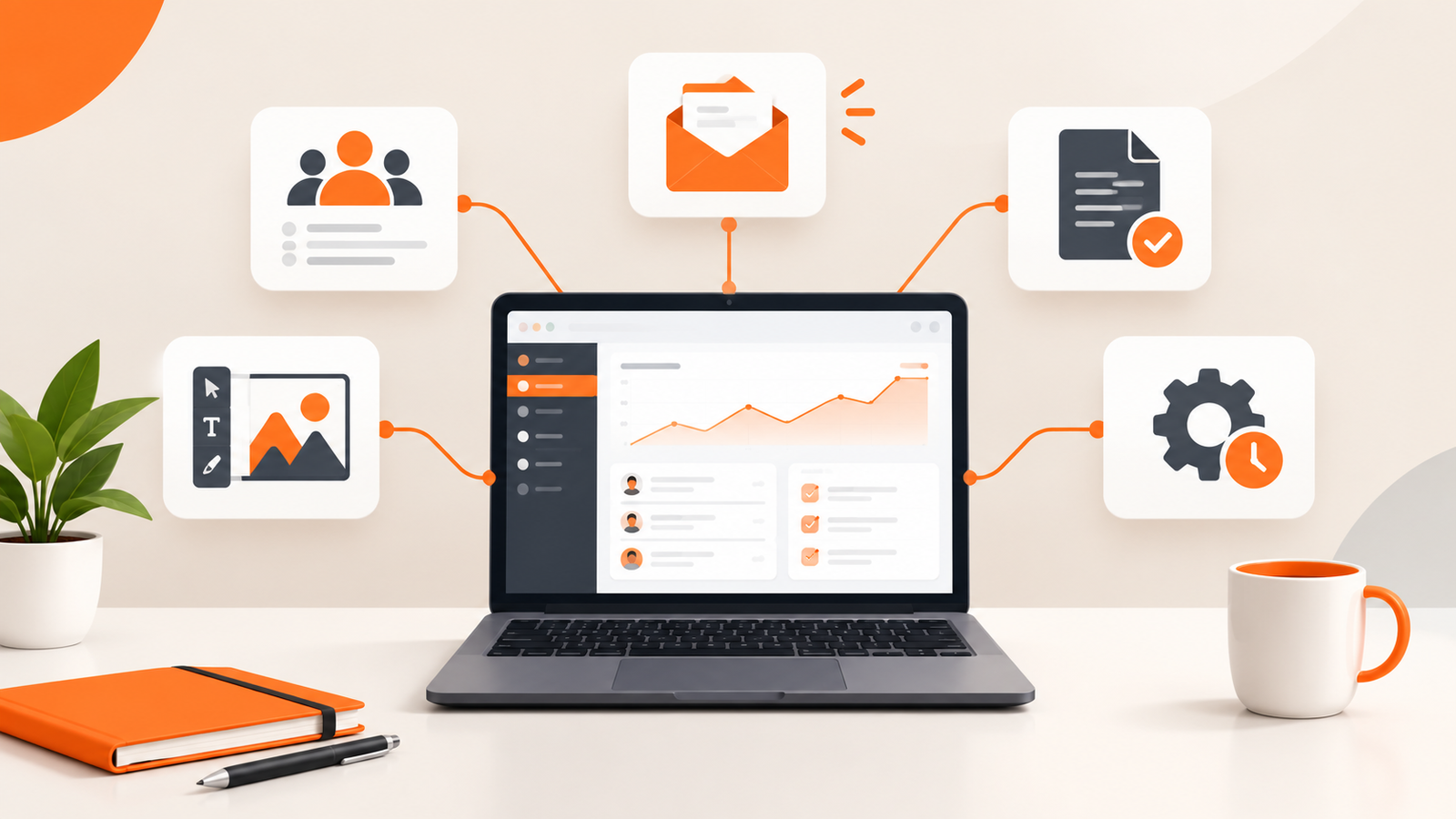
How to choose the right AI tools for your business
A common mistake is signing up for many AI services without deciding what each one should accomplish. This can create more work instead of less.
Start by identifying a task that is repeated frequently and takes more time than it should.
If writing takes too much time
Try ChatGPT, Gemini, Copilot, or Claude for first drafts, planning, and editing.
If marketing materials are difficult to produce
Explore Canva or Adobe Express for visual content and CapCut for video editing.
If customer enquiries are getting lost
Consider a suitable CRM such as HubSpot and evaluate whether simple automations can improve your follow-up process.
If you spend too much time on repetitive digital tasks
Investigate Zapier or the built-in automation features of the software you already use.
If meetings and documentation consume your day
Consider Notion for organizing information and Otter.ai for supported transcription workflows.
A simple seven-day plan for getting started with AI
You do not need to redesign your entire business to benefit from AI. Use the following plan to test a few tools and measure whether they actually help.
- Day 1: Identify a time-consuming task. Write down the repetitive activity you would most like to improve.
- Day 2: Choose one tool. Select a suitable tool with a free option and check its current limitations.
- Day 3: Test it on a real task. Use a non-sensitive example from your everyday work.
- Day 4: Review the result. Check accuracy, usefulness, and the amount of editing required.
- Day 5: Compare the time spent. Estimate how long the task normally takes and how long it took with the tool.
- Day 6: Improve your process. Refine your instructions and create a reusable prompt or template.
- Day 7: Decide whether to continue. Keep the tool if it creates a worthwhile improvement. Otherwise, try a different approach.
A simple record of time spent, errors found, and work completed can help you determine whether a tool is genuinely useful rather than merely interesting.
Can free AI tools replace employees or professional services?
Usually, it is more helpful to think of AI as a way to support people than as a complete replacement for them.
An AI assistant might draft a customer email, but a person still needs to check the facts and make sure the message is appropriate. A design tool might produce a promotional graphic, but somebody needs to confirm that the product, brand, and offer are represented correctly.
Similarly, a business may use AI to explore website ideas, draft content, or create a basic outline. That does not mean every website can be built safely and effectively without development expertise.
A business website that accepts payments, manages customer accounts, stores private information, processes bookings, or integrates with other systems requires careful attention to security, reliability, usability, and maintenance.
The right approach is to use AI for tasks it can handle well while involving qualified people when the work requires technical judgment, accountability, or specialized expertise.
Important things to consider before using AI at work
Protect confidential information
Avoid entering customer passwords, payment details, private contracts, personal records, or other sensitive information into an AI service unless you have verified that its data-handling arrangements are appropriate for that information.
Verify important information
AI systems can generate incorrect information or present uncertain answers confidently. Check financial calculations, business regulations, product specifications, and other consequential claims before relying on them.
Review the terms of free plans
A free plan may have usage limits, restricted features, or conditions that change over time. Review the current terms before making a tool essential to your daily operations.
Do not confuse speed with quality
Producing ten pieces of content quickly is not necessarily better than producing three useful pieces that accurately represent your business. Quality, relevance, and trust still matter.
When does your business need more than AI tools?
Free AI tools can improve many individual tasks, but they do not automatically provide a complete digital system for running a business.
For example, a company may use AI to draft customer messages and Canva to create marketing materials. It may still need a professional website where customers can explore services, submit enquiries, book appointments, or place orders.
Another business might need a system that connects inventory, sales, customer records, staff workflows, and reports. In that situation, several disconnected tools may become difficult to manage.
The solution depends on the business, the way it operates, and the problems it needs to solve.
Need a digital solution built around your business?
At XhoXa Tech Solutions, we focus on helping businesses establish and improve their digital presence through websites, mobile applications, and tailored digital solutions.
If your business has outgrown manual processes or needs a more effective way to serve customers online, explore our services and identify the solution that best fits your goals.
Explore XhoXa Tech SolutionsFrequently asked questions
1. What is the best free AI tool for a small business?
There is no single best tool for every business. ChatGPT, Gemini, and Copilot are worth exploring for general assistance, while Canva can help with design and Zapier can support selected automation workflows. Your best choice depends on the task, available features, and usage limits.
2. Can I use AI tools without paying?
Yes. Several AI services offer free plans or limited free features. However, advanced capabilities, higher usage limits, integrations, and some commercial features may require payment.
3. Can AI help me market my small business?
AI can help brainstorm campaigns, draft social media posts, prepare email content, create design concepts, and organize marketing plans. Results still depend on the quality of your offer, your understanding of customers, the usefulness of your content, and how you distribute it.
4. Are AI-generated business documents always accurate?
No. AI-generated documents can contain incorrect facts, misleading statements, or inappropriate wording. Review important documents carefully before sending or publishing them.
5. Can AI build a website for my business?
AI-assisted website builders and coding tools can help create website drafts and accelerate development. However, the finished website may still require human review, design adjustments, content verification, testing, security configuration, and ongoing maintenance.
6. Is AI safe for handling customer information?
Safety depends on the tool, its data-handling practices, your account settings, and the information being processed. Review the provider's privacy terms and avoid submitting sensitive information unless you have confirmed that the service is suitable for that use.
7. How many AI tools should a small business use?
Start with one or two tools that solve specific problems. Expand only when you understand the benefits, costs, limitations, and practical requirements of your existing setup.
Final thoughts
You do not need to adopt every new AI product to run a more efficient business. The better approach is to identify where time is being lost, select a tool that addresses the problem, and measure whether the result improves your workflow.
For some businesses, the biggest improvement may come from drafting customer emails more quickly. For others, it may come from creating consistent marketing materials, organizing customer enquiries, or reducing repetitive administrative work.
Start small, verify the results, protect your information, and keep the tools that genuinely help.
Technology should make it easier to run your business, not give you another collection of complicated services to manage.
About XhoXa Tech Solutions: XhoXa Tech Solutions shares practical insights on technology, business growth, websites, software, and digital tools to help individuals and businesses make more informed technology decisions.